


Junk File Sweeper
3.7163.00 Reviews
App Specs
- Version
- 1.0.20
- Updated On
- License
- Free
- Downloads
- 1,000,000+
- Developer
- JunkaseyMai
- Categories
- Tools
- Platform
- Android
Screenshots
 Analysis by AppCompare
When my phone warns that storage is running low, I want a clear way to find what is taking up space—not another complicated maintenance routine. Junk File Sweeper is a free Android tools app from JunkaseyMai, and its purpose is to help clear unwanted files from a phone. It is currently at version 1.0.14, has an Everyone content rating, and has passed one million installs. I see its appeal in that straightforward promise, though I’d treat any cleaner as a helper for storage management rather than a cure for every slowdown.
What a cleaner can—and cannot—do
Phone storage fills for different reasons: cached data, downloaded files, large videos, and apps you no longer use all compete for space. A junk-cleaning tool is most useful when it helps identify removable clutter without making you guess. It is less useful when the real problem is a collection of personal files you still want to keep. Before cleaning, I’d check whether the space pressure comes from disposable data or from photos and downloads that need a deliberate decision.
That distinction matters because clearing storage is not the same as making a phone permanently faster. Removing unneeded files can ease a low-storage problem, but it does not replace managing background activity, updating software, or uninstalling apps that are no longer useful. I’d use a cleaner for a specific storage task, then judge the result by available space and normal day-to-day use rather than expecting a dramatic performance transformation.
Who will get the most from it
This kind of app makes the most sense for someone who regularly installs new apps, downloads files, or receives a steady stream of media and then forgets to review it. It can also suit a less technical user who wants a dedicated place to start when a storage warning appears. The app is free, which makes trying it a low-cost decision, but I’d still pay attention to what it proposes to remove instead of treating any one-tap cleanup as automatically safe.
On the other hand, if your phone has plenty of free space and you already review downloads and unused apps, a separate cleaner may not add much to your routine. People who want to manage individual folders carefully may prefer their phone’s built-in storage controls or a file manager. Those tools can be a better fit when the goal is to sort, move, or preserve specific files rather than run a general cleanup.
What is Junk File Sweeper?
Let’s break it down. Junk File Sweeper is like your phone’s personal cleaning crew. This app is designed to hunt down and eliminate all those pesky files cluttering up your device. You know, the ones that just sit there taking up space without paying rent. From cache files to residuals from uninstalled apps, this app does a thorough sweep.
Getting Started
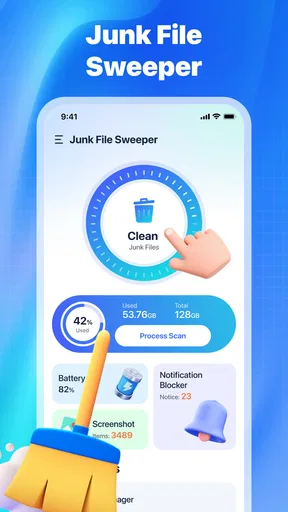
Installing the app is a breeze. A quick visit to the Play Store or App Store, a couple of taps, and you’re good to go. Once opened, the interface is super user-friendly, which is a blessing if you're like me and not a tech guru. The main dashboard gives you a clear overview of how much junk is chilling on your phone.
Worth Reading Before You Choose

Flipboard Shows What News Apps Must Do Beyond the Feed

Switching to Android Auto Means Rethinking Your Driving Routine

Google Calendar Makes a Crowded Week Easier to Manage

Ludo King Makes the Most of the Minutes Between Plans

Baby Panda World Brings Quick Play to Modern Phones, but Its Game Library Feels Busy

ESPN’s Live Game View Makes Following Close Games Easier
Features That Stand Out
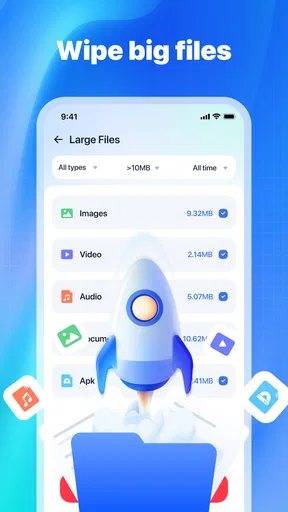
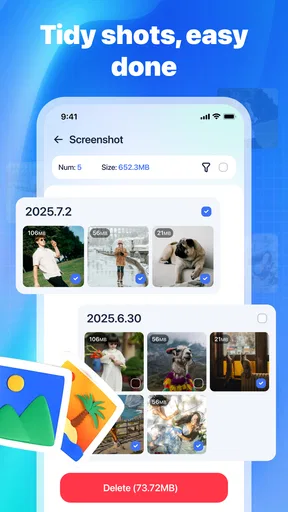
Here’s where things get interesting. The app doesn’t just delete files; it analyzes them. You get a detailed breakdown of different file types, and it even highlights the largest files hogging your storage. Plus, the smart cleaning feature is a lifesaver. With a single tap, it cleans up automatically without you having to sift through files manually.
Another nifty feature is the scheduled cleaning option. Set it up once, and voila! Your phone will be tidied up at regular intervals without you lifting a finger. It’s like having a magic wand for your storage issues.
A sensible cleanup routine
Even with automatic cleaning available, I wouldn’t make the first run a completely hands-off one. My practical approach is to scan when I’m not in a rush, review the categories and larger items the app presents, and remove only what I recognize as expendable. That first pass helps establish whether its suggestions match my own priorities. Once I’m comfortable with how it handles routine clutter, automation becomes more appealing.
A realistic example: suppose I’m about to record a long event and get a low-space warning. I’d use the cleaner to look for removable clutter, but I’d also review downloads and large media separately before deleting anything personal. If the space is still tight, I’d move or remove files I no longer need. This two-step workflow is safer than assuming a junk scan can make room for every new video, and it gives me a clearer picture of what is actually consuming storage.
The same caution applies to scheduled cleanup. It is convenient for someone who wants occasional housekeeping without remembering to launch an app, but I’d start with a conservative routine and check the results after it runs. If you regularly download files for work, travel, or offline reading, a schedule can be less suitable than a manual scan: a file that looks disposable to a broad cleanup process may still be something you intended to keep. Convenience is valuable, but not at the cost of losing something important.
Performance & Experience
Now, onto the nitty-gritty. I noticed a significant boost in my phone’s performance post-cleanup. Apps opened faster, and the dreaded "storage almost full" notification finally disappeared. The app runs smoothly in the background, ensuring it doesn’t interfere with my day-to-day activities.
And, can we talk about battery life? I swear my phone lasts longer now since it’s not bogged down by useless data. It’s like a breath of fresh air for my device.
Where I’d be cautious
I’d separate the immediate, measurable result—getting some storage back—from broader claims about speed or battery life. A phone can feel more responsive when it is no longer pressed for space, but cleaning files does not guarantee that apps will open faster or that battery life will improve. If a device remains slow after a cleanup, I’d look at other causes instead of repeatedly scanning it and expecting the same action to solve everything.
There is also a trade-off between speed and control. One-tap cleaning reduces effort, while reviewing categories takes longer but gives me a chance to catch anything I want to retain. I’d choose the manual route whenever I’m uncertain about a file, and use automation only after I understand what the app treats as clutter. That is a useful rule for any cleaner, especially when the phone contains work documents, offline maps, or media saved for a trip.
For everyday alternatives, the built-in storage screen is often enough if I only need to see which apps occupy space or remove one large download. A file manager is better when I need to inspect folders and choose exact items. Junk File Sweeper’s role is different: it is for a quicker, more guided cleanup when I want help locating junk rather than manually auditing the whole phone. I’d pick the simplest option that solves the immediate problem instead of keeping multiple tools that do the same job.
How the app is evolving
The current release is version 1.0.14, and the app was released on November 10, 2025. Those facts give me a useful snapshot of its place in the product’s life, but they don’t by themselves show which features have changed between releases. I wouldn’t assume a particular improvement or a long history of refinements from a version number alone. For a new user, the practical question is whether the current app’s cleaning approach fits their needs today.
Existing users can treat a newer version as a reason to check the app’s current behavior rather than assume their previous routine remains ideal. After any update, I’d review the cleaning suggestions again before relying on automation, particularly if I use the phone for files that need to remain available offline. The rating—an average of 3.6 from around 2,200 ratings, alongside about 130 written reviews—suggests a mixed response rather than universal approval. I’d use that as a prompt to try it carefully, not as proof that it will behave identically on every device.
The app’s minimum Android requirement is version 6.0, so it is aimed at a broad range of Android phones. Its Everyone rating also makes it suitable for a general audience, though that does not remove the need to make thoughtful deletion choices. If I were deciding whether to keep using it, I’d watch for whether its scans remain understandable, whether its recommendations feel relevant, and whether scheduled cleaning saves time without requiring me to restore or re-download files.
Is It Worth the Download?
If you’re someone who downloads a ton of apps and forgets about them (guilty as charged), then this app is a must-have. It not only frees up space but also keeps your phone running like new. Plus, the satisfaction of watching all that junk disappear is oddly satisfying.
So, if you’re tired of dealing with a sluggish phone and want to reclaim your storage space, give Junk File Sweeper a try. Trust me, your phone will thank you for it. And you’ll enjoy the extra room for all those photos, videos, and apps you actually want to keep.
In a nutshell, this app is a game-changer for anyone looking to declutter their digital life. It's simple, effective, and best of all, it makes your phone feel brand new. So, what are you waiting for? Go clean up your phone and enjoy the freedom of a clutter-free device!
My recommendation
I’d recommend giving it a careful try if you want a dedicated, guided way to address phone clutter and are willing to review what gets removed. I would skip it if you expect a cleaner to fix every performance issue, or if you prefer direct control over every file and already know how to manage storage with built-in tools. The best result comes from using it as one part of a sensible routine: clear what you don’t need, keep personal files under your control, and check whether the cleanup actually solved the space problem.
Pros
- Efficiently clears cache and junk files.
- User-friendly interface with easy navigation.
- Supports multiple file formats for cleanup.
- Offers schedule cleanup for automated maintenance.
- Minimal impact on device battery life.
Cons
- Limited features in free version.
- Ads can be intrusive during use.
- Occasional false positives in file detection.
- Lacks advanced customization settings.
- No real-time monitoring of storage usage.
FAQs for Junk File Sweeper
What is Junk File Sweeper, and how does it work?
Junk File Sweeper is an optimization tool designed to clean up unnecessary files from your Android or iOS device. It scans your device for cache, temporary files, and other digital clutter that might slow down performance. Once identified, it allows you to delete these files with a single tap, freeing up space and improving device speed.
Is Junk File Sweeper safe to use on my device?
Yes, Junk File Sweeper is safe to use. It only targets non-essential files such as cache and temporary files. The app is designed with user security in mind, ensuring that no personal data or critical system files are deleted. Always download from reputable sources for added security.
How often should I use Junk File Sweeper?
The frequency of use depends on your device usage. For typical users, running Junk File Sweeper once a week is usually sufficient to maintain optimal performance. However, if you frequently download apps or use your device heavily, more frequent clean-ups may be beneficial.
Does Junk File Sweeper support all Android and iOS devices?
Junk File Sweeper is compatible with most Android and iOS devices. It supports a wide range of operating systems, but it's always best to check the app store for specific compatibility details with your device's version to ensure optimal performance.
Are there any in-app purchases or ads in Junk File Sweeper?
Junk File Sweeper is typically available as a free app with optional in-app purchases. These purchases might unlock additional features or provide an ad-free experience. While the free version includes basic cleaning functions, some users may find the premium features or ad-free version worth the investment.


